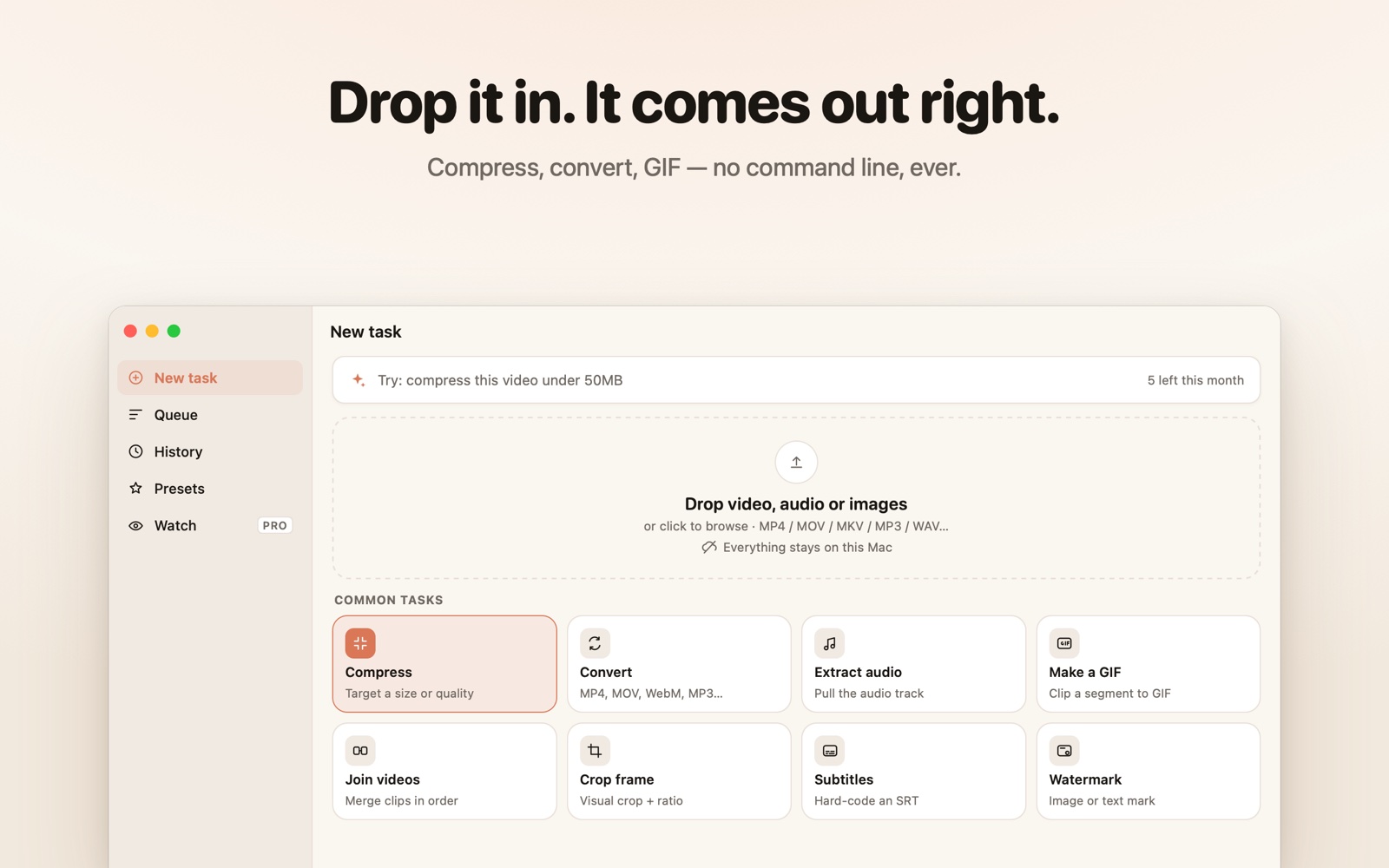
Compress, convert, extract, GIF, subtitles — no ffmpeg flags, no sketchy upload sites. Everything runs locally. Files never leave your Mac.
Unlimited local tasks on Free · No account required
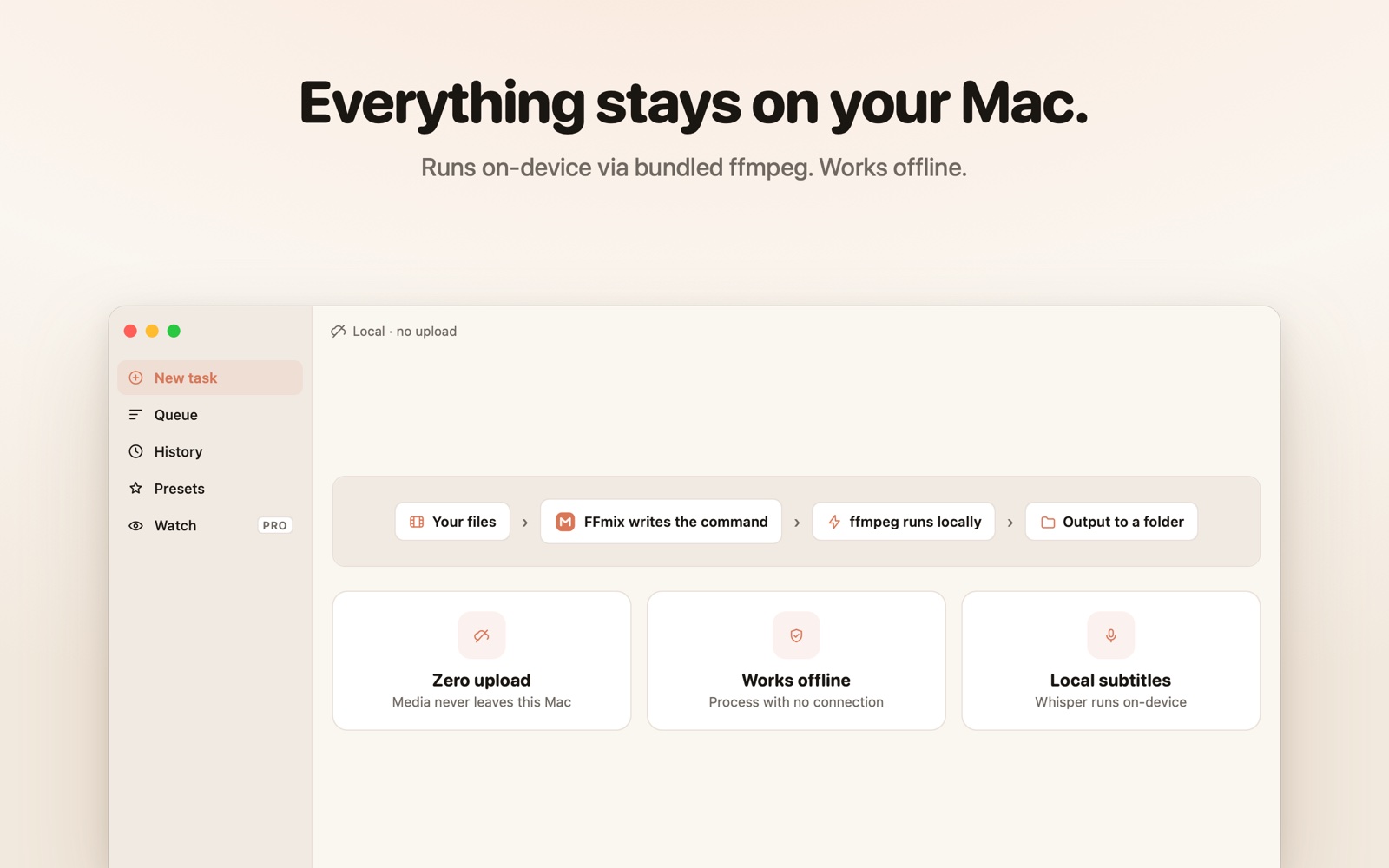
Processing happens on this Mac via the open-source ffmpeg engine. Works offline — interviews, internal footage, client work all stay private.
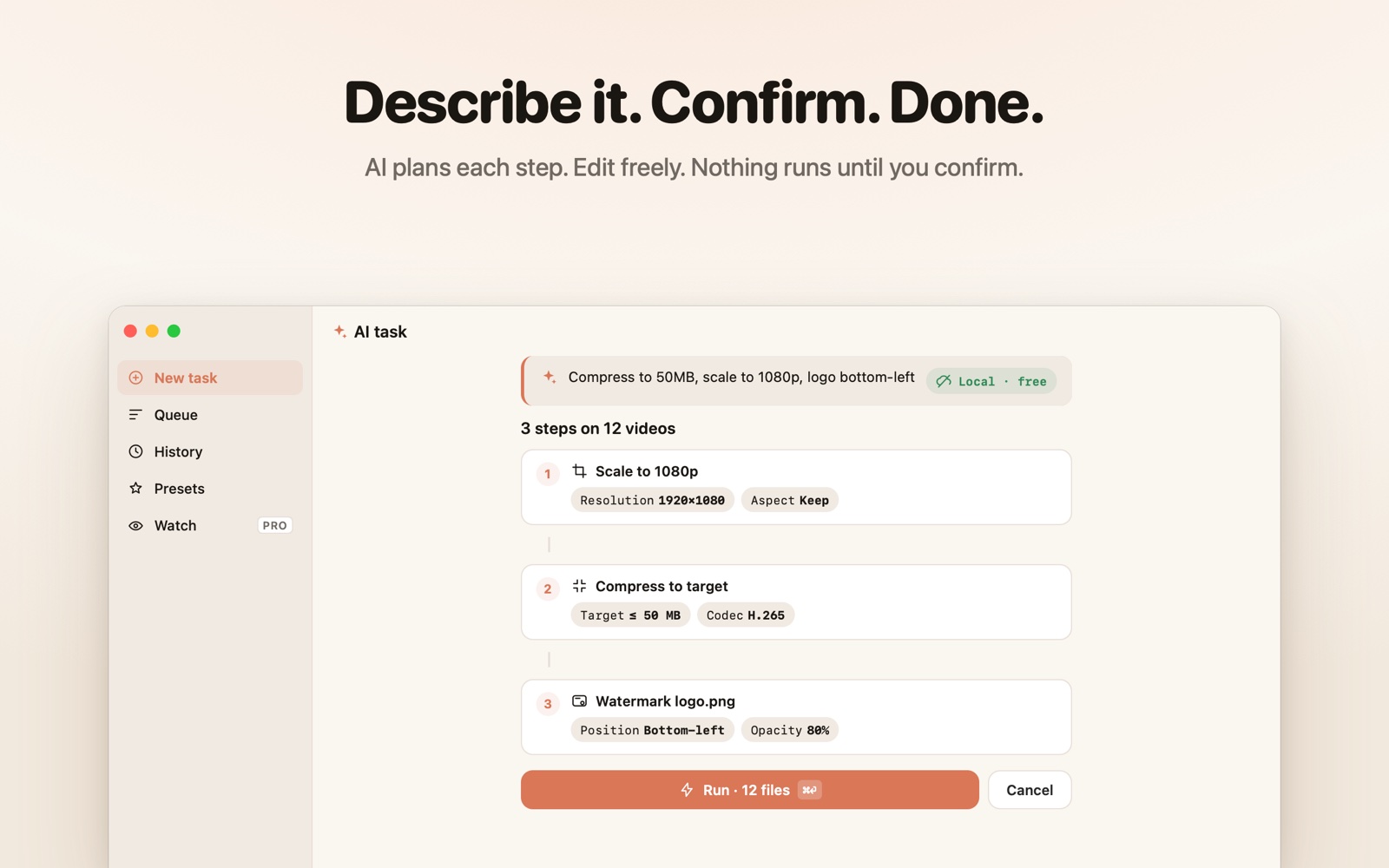
“Make these small enough for WeChat” — FFmix lays out the plan as editable steps and runs only after you confirm.
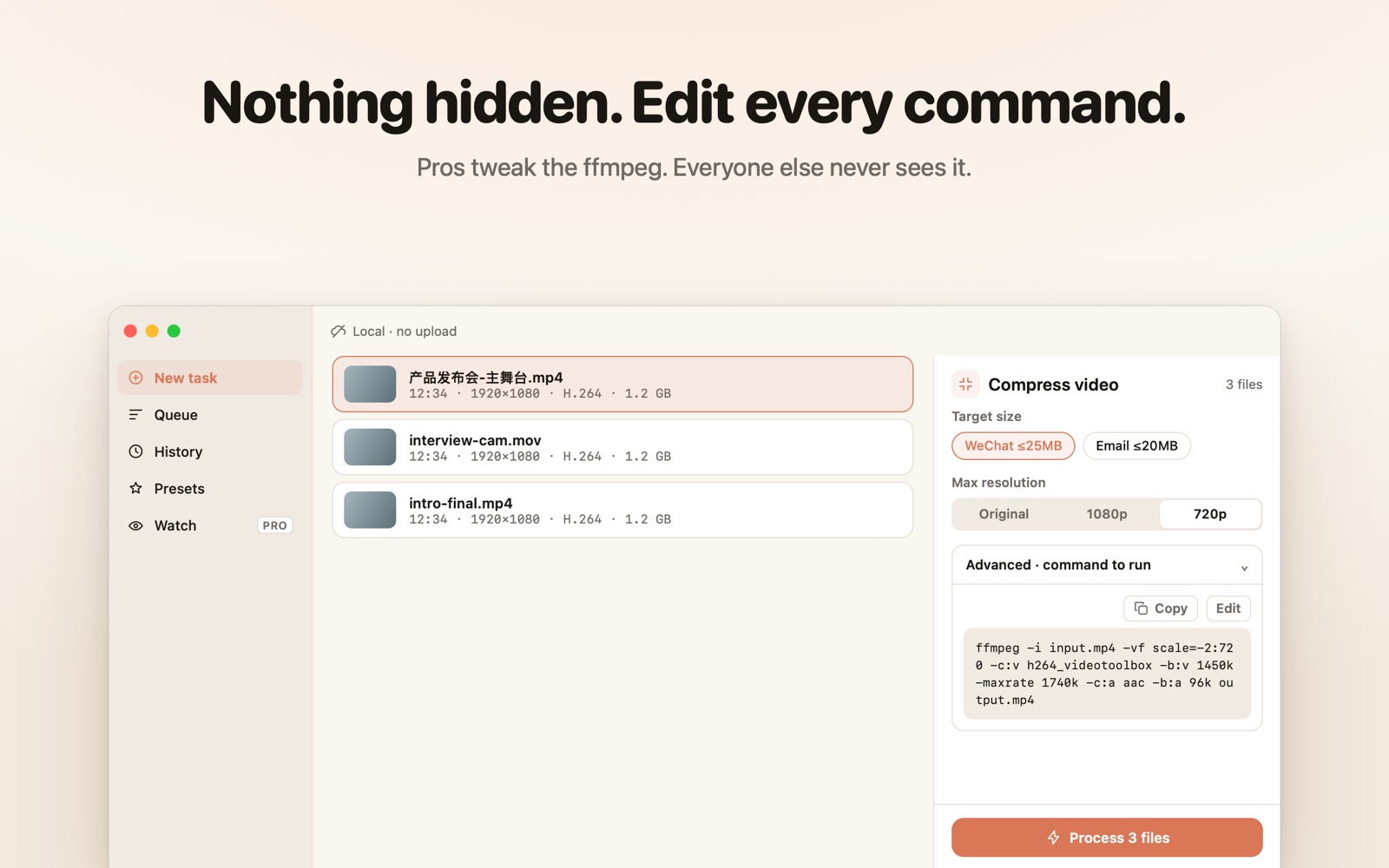
Expand “Advanced” on any task to see the exact ffmpeg command it will run — copy it, or switch to manual mode and tweak it.
FFmix translates your clicks into commands — files never leave your computer
The first layer speaks your words; codecs and bitrates stay folded inside “Advanced”
Target a size or quality — “WeChat ≤25MB” is one click
MP4, MOV, WebM, MP3… every format explained in plain words
Pull the talk track, normalize podcast loudness
Two-handle timeline trim, automatic palette
Reorder & merge — no re-encode, done in seconds
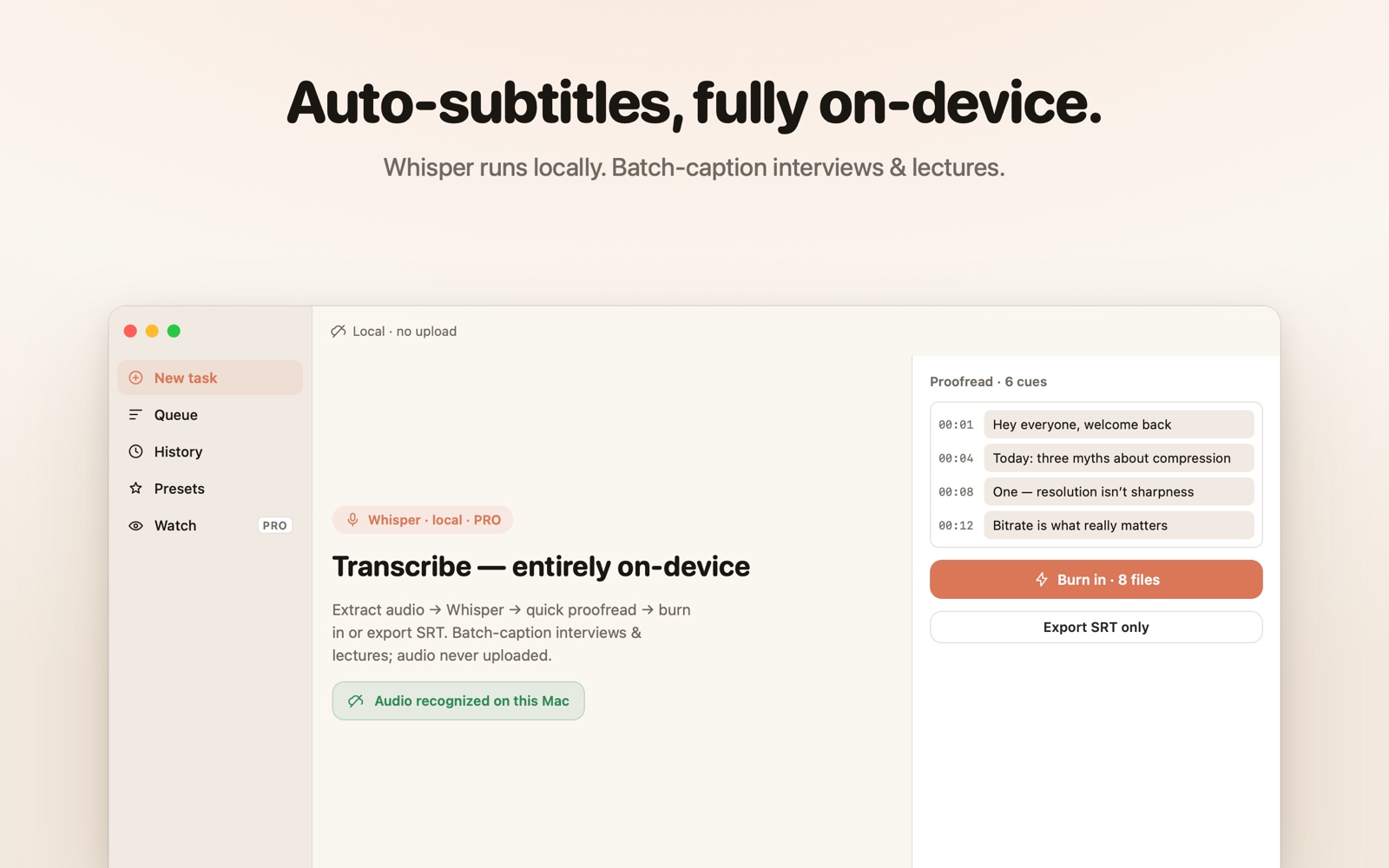
SRT burn-in, or local Whisper transcription (Pro)
9-grid position picker with live preview
0.25×–4× retiming, lossless rotation
“Compress to 50MB, scale to 1080p, logo bottom-left” becomes a step-by-step pipeline: edit any parameter, insert or remove steps — nothing runs until you confirm.
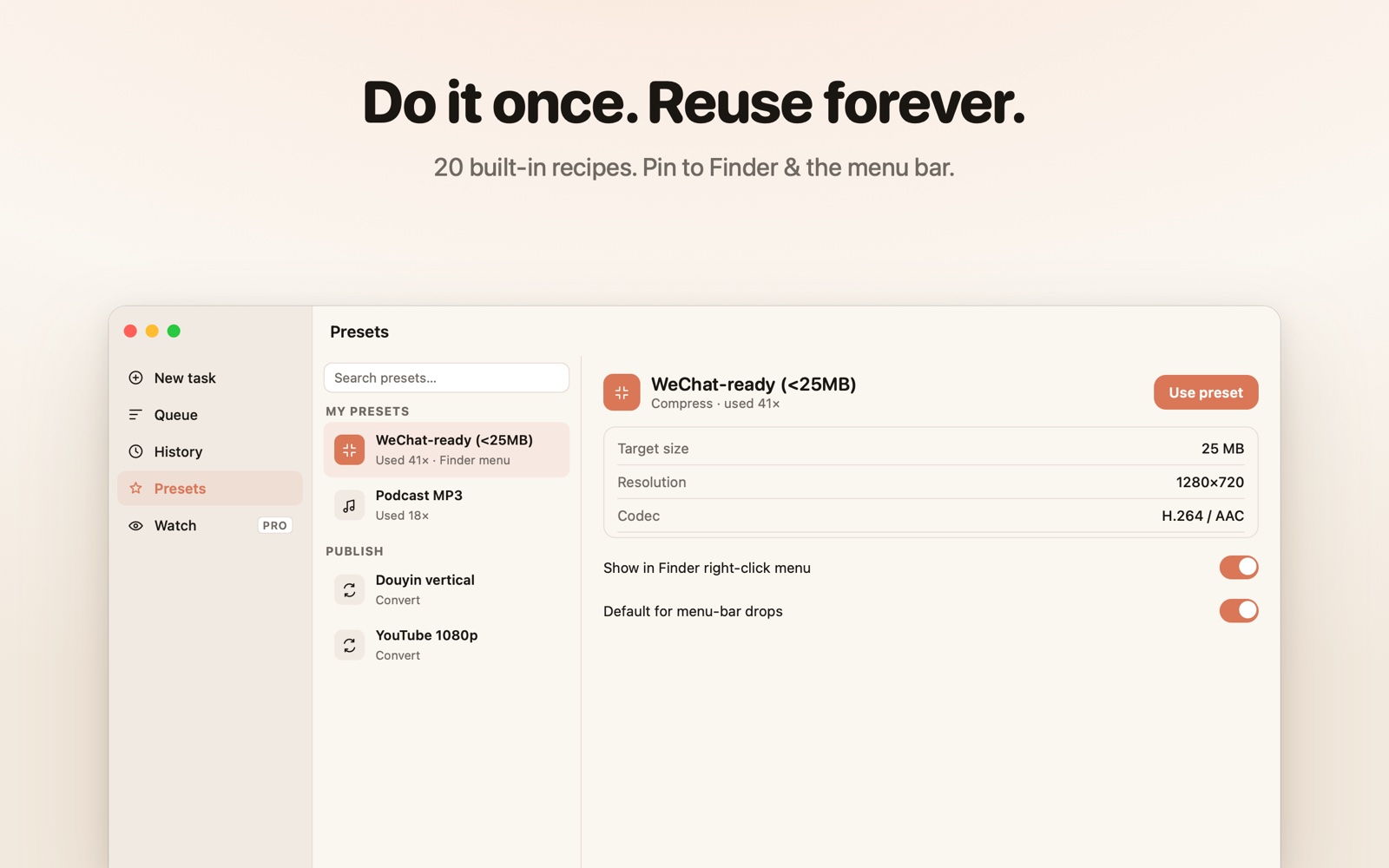
Save any run as a preset — next time it's one click, a Finder right-click, or a menu-bar drop
TikTok 9:16 · Instagram Reels · YouTube Shorts · Square 1:1 & 4:5 · X 1080p
YouTube 1080p · Douyin/Channels vertical · Bilibili 1080p
Discord ≤10MB · Email ≤20MB · WeChat ≤25MB
MP3 320k · Podcast −16 LUFS · Lossless WAV
Crisp-text screen recordings · Tutorial GIFs · 30fps
Anything → MP4 · H.265 archive · 540p proxies
Cover-frame JPG · 1-frame-per-second stills
Each one is step-by-step plus the real ffmpeg command — done on your Mac, nothing uploaded
WeChat caps chat videos at 25MB. Shrink any clip to fit on your Mac — no command line, nothing uploaded. One click with FFmix.
How to convert MOV to MP4 on Mac without losing qualityTurn a QuickTime .mov into a universally playable .mp4 on your Mac — near-lossless quality, no command line, nothing uploaded. FFmix does it in one step.
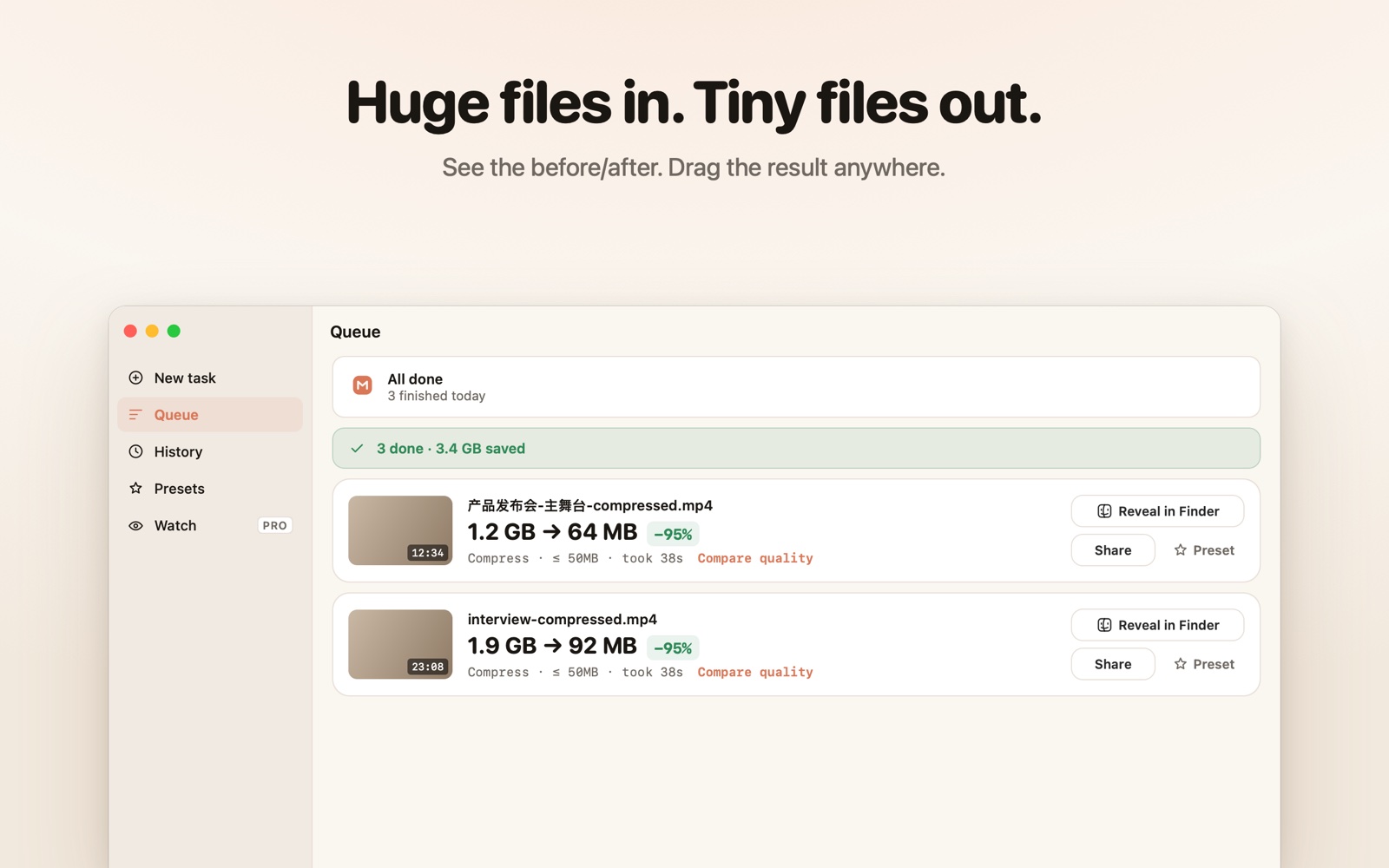
How to reduce video file size on Mac without losing qualityCut a video's size by roughly half at the same visual quality using H.265 — on your Mac, no command line, nothing uploaded. FFmix does it in one step.
How to convert a video to a GIF on Mac (good quality, small size)Turn a clip into a sharp, reasonably small GIF on your Mac using a generated palette — no command line, nothing uploaded.
How to extract audio from a video on Mac (to MP3)Pull the audio out of any video as a high-quality MP3 on your Mac — no command line, nothing uploaded. One click with FFmix.
How to add subtitles to a video on Mac (local, no upload)Burn an SRT into your video, or auto-transcribe it locally with Whisper — on your Mac, with the audio never leaving the machine.
Dedicated pages for the most common jobs — and honest comparisons
Free
Pricing in the App Store7-day free trial · cancel anytime
Billed via the App Store · cancel anytime
Never. Every job runs on your Mac via the open-source engine ffmpeg — FFmix just translates your clicks into commands. With the AI input, only the sentence you type is sent for parsing; media files never leave your machine.
No. The interface speaks plain language: “small enough for WeChat”, “make a GIF”, “extract audio”. Power users can expand the Advanced section to inspect and even edit the exact command before it runs.
Simple one-step requests are parsed by local rules — instant, free, unlimited. Compound requests use cloud parsing: 5 per month on Free, unlimited on Pro. Every AI plan requires your confirmation before anything runs.
3 parallel queue slots, unlimited AI parsing, watch-folder automation, and unlimited Finder right-click presets. Local tasks are already unlimited on Free. FFmix Pro is an auto-renewable subscription with a 7-day free trial and Family Sharing — pricing is shown in the App Store.
macOS 14 or later · Apple Silicon · ffmpeg engine built in · works offline · nothing else to install
Download on the Mac App Store